The Auto Currency Update extension for Zoho CRM helps you update multiple currencies in CRM every hour based on the exchange rate of the base currency. Say goodbye to manually updating currency in your Zoho CRM account.
Key Features:
- Auto-update currency every hour in your Zoho CRM account.
- Enjoy easy installation. No development or configuration is required.
- Easily check the latest exchange rates in custom functions, schedules, workflows, and more.
- No maintenance is required.
Installation Steps
Step One
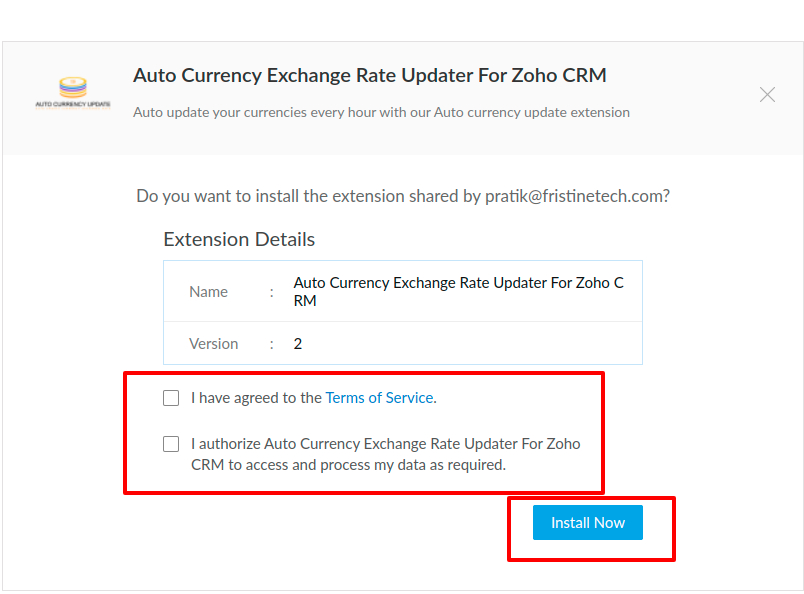
Go to the marketplace and install the Auto Currency Exchange Rate Updater For Zoho CRM. You will see a page like this:
Just agree to the terms of service and authorize the extension to process the required data
Step Two
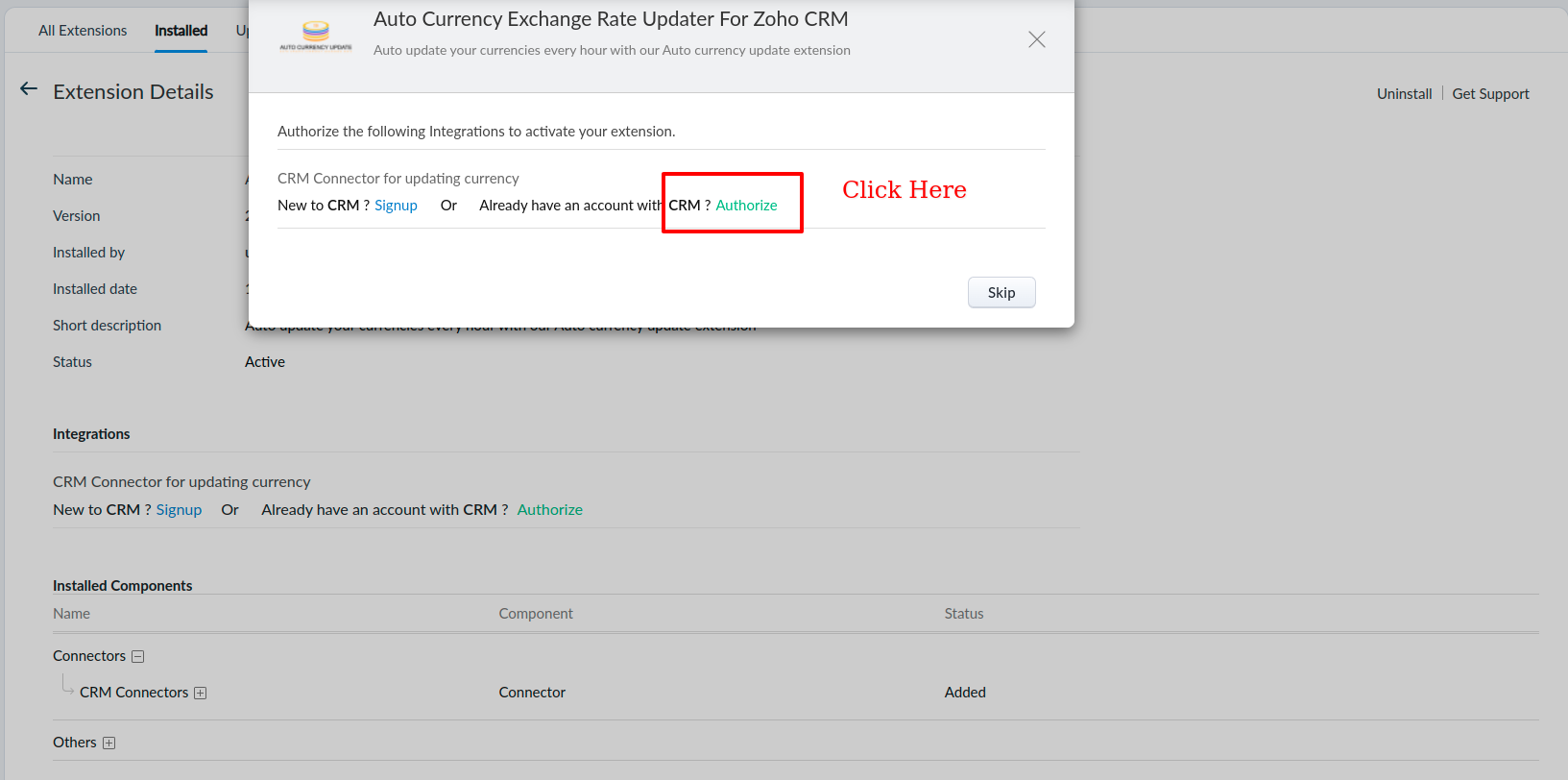
After click on install you will see a page like this just click on the Authorize button as mention below:
Step Three
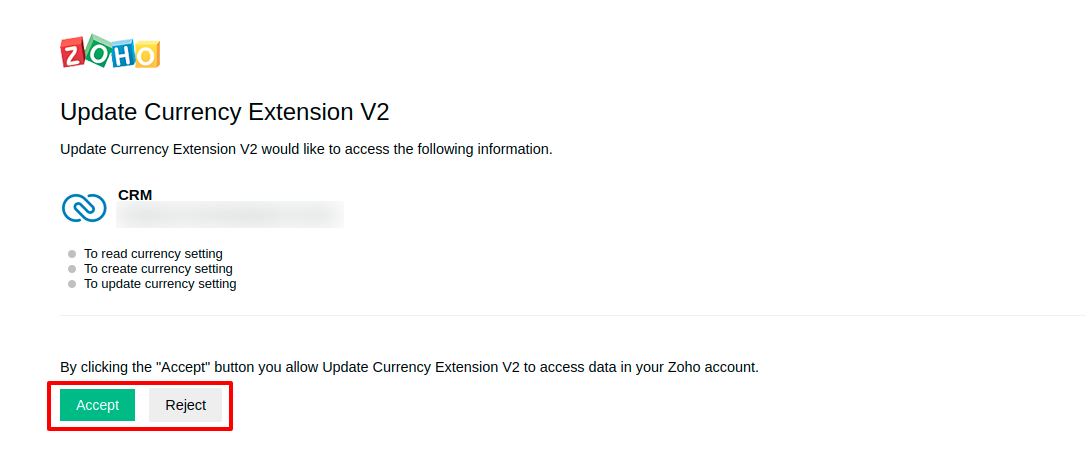
The extension will now be installed and in the final step, you will be asked to grant the specific permissions mentioned above:
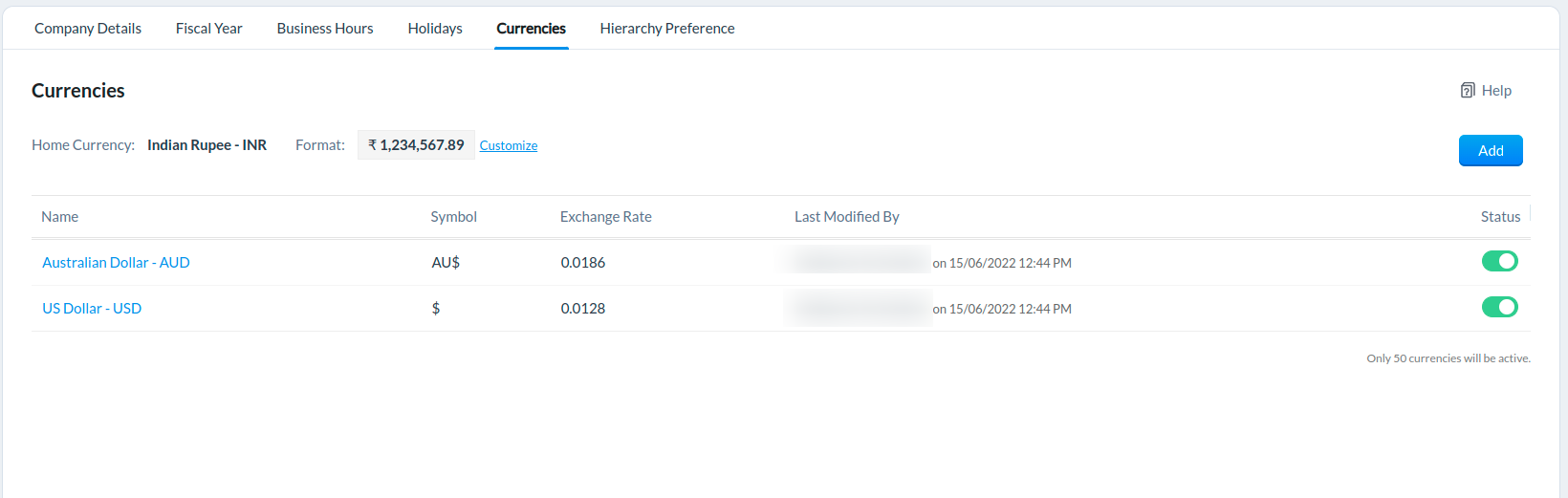
After you installed the extension successfully, To check go to Settings and search for Currencies. Your currencies page should look something like this:
If you have any other questions we’ll be happy to answer them, simply send an email to zohomarketplace@fristinetech.com